
Login with Facebook
To enable Login with Facebook, you need a Facebook App ID and App Secret.
These credentials are generated from the Facebook Developers Console.
Create Facebook App
Follow the steps below to create your Facebook application.
1. Open Facebook Developers Console
Go to:
https://developers.facebook.com/apps/
You will see the dashboard like below:
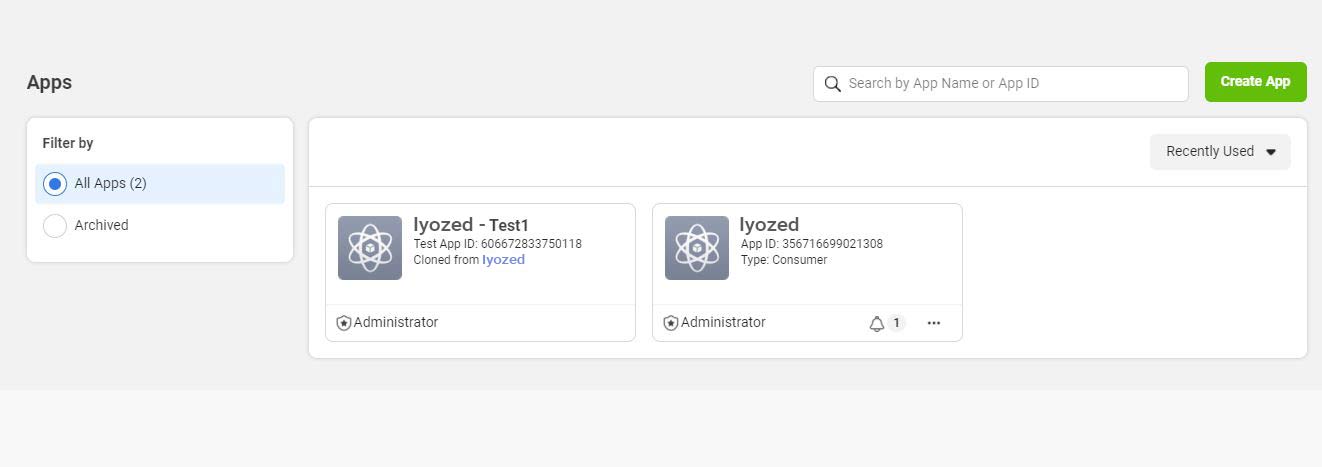
2. Create a New App
- Click Create App
- Choose the type of app
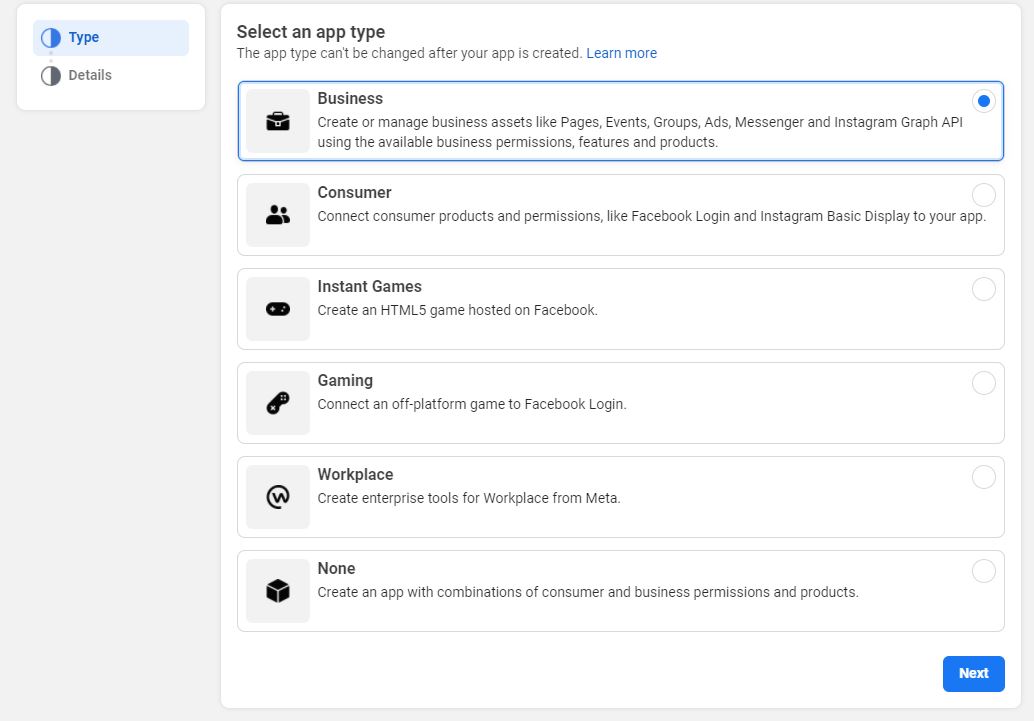
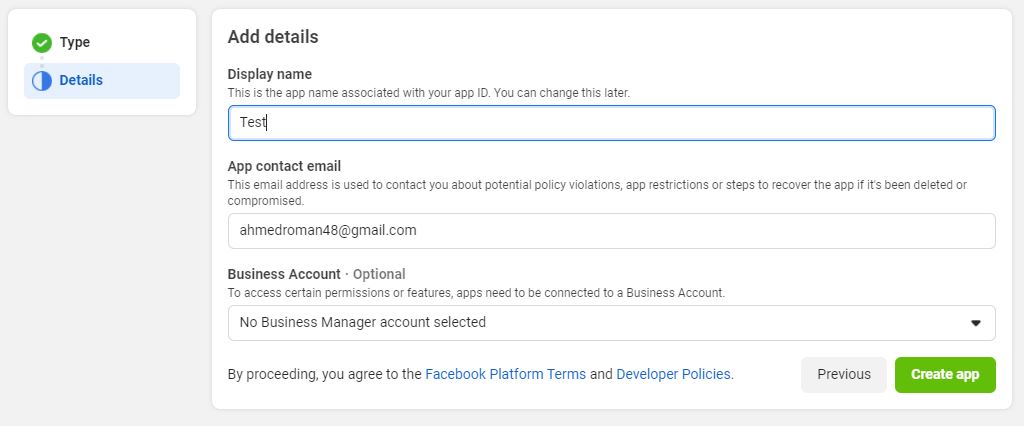
3. Enter App Details
Fill in your app details and continue.
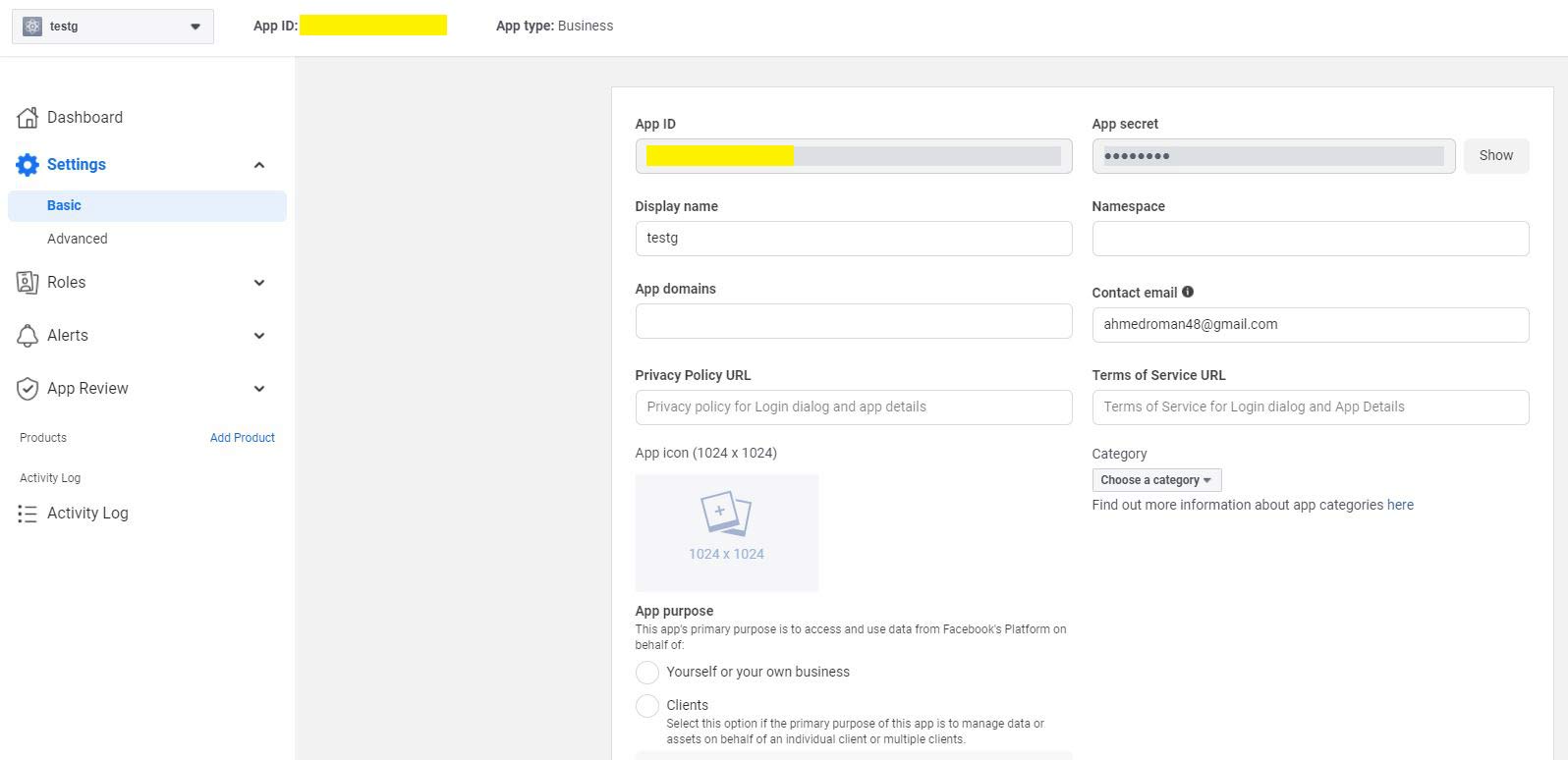
4. Configure App Settings
- Go to Settings → Basic
- Set your App Domains
- Scroll down and click Add Platform
- Choose Website
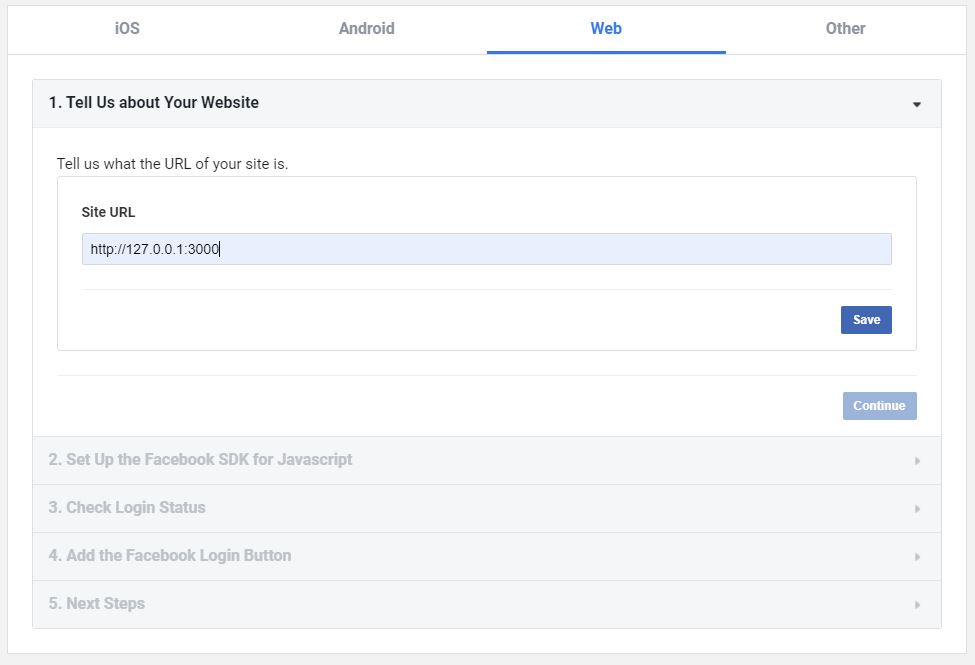
5. Add Website URL
Enter your server URL and save.
6. Add Facebook Login Product
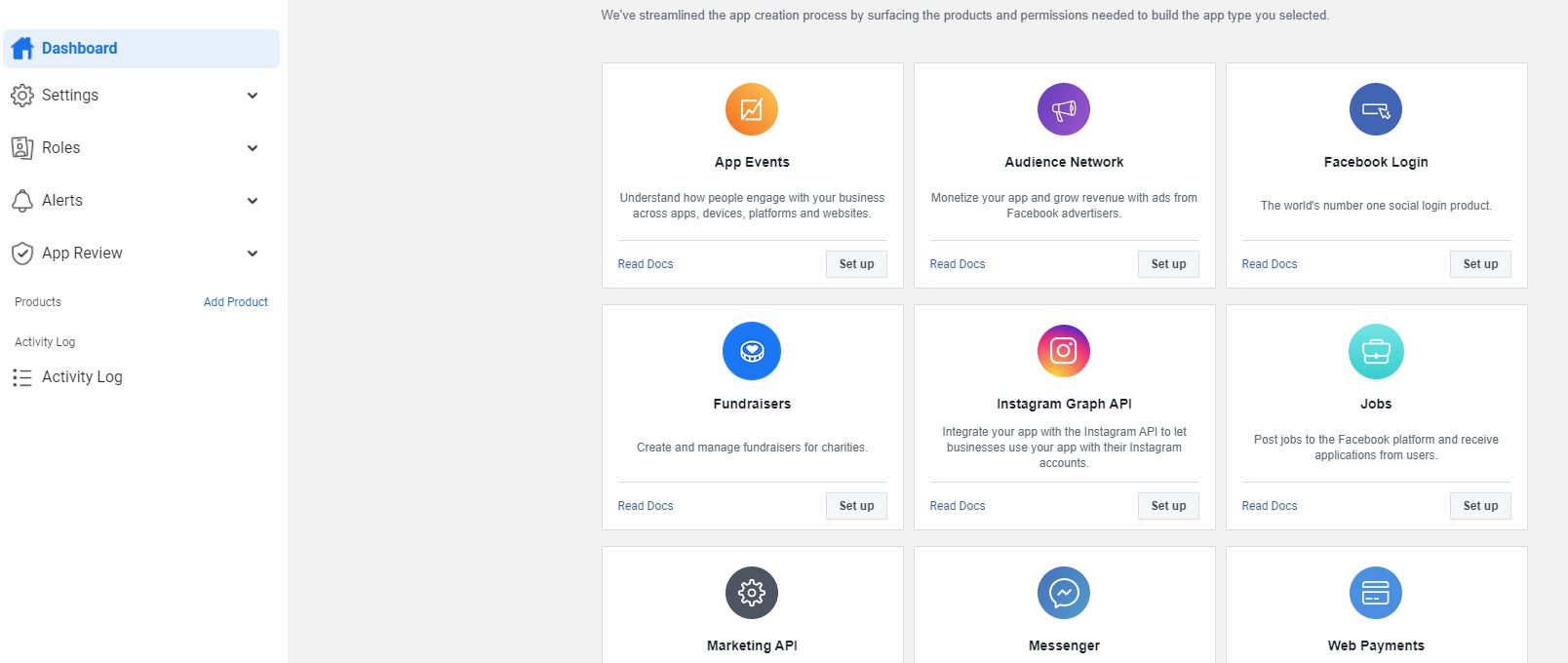
- Click Add Product
- Set up Facebook Login
7. Configure Web Platform
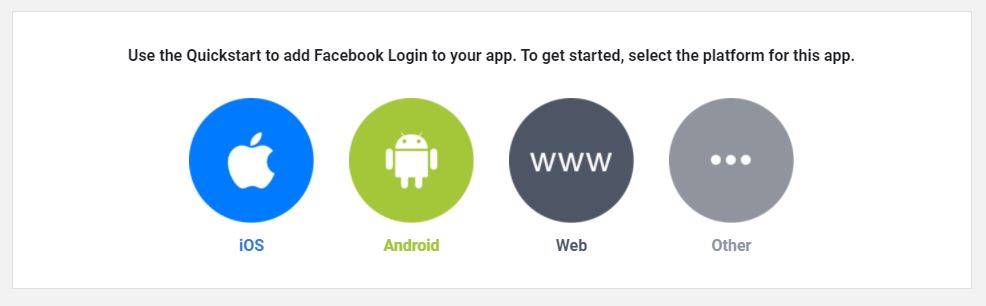
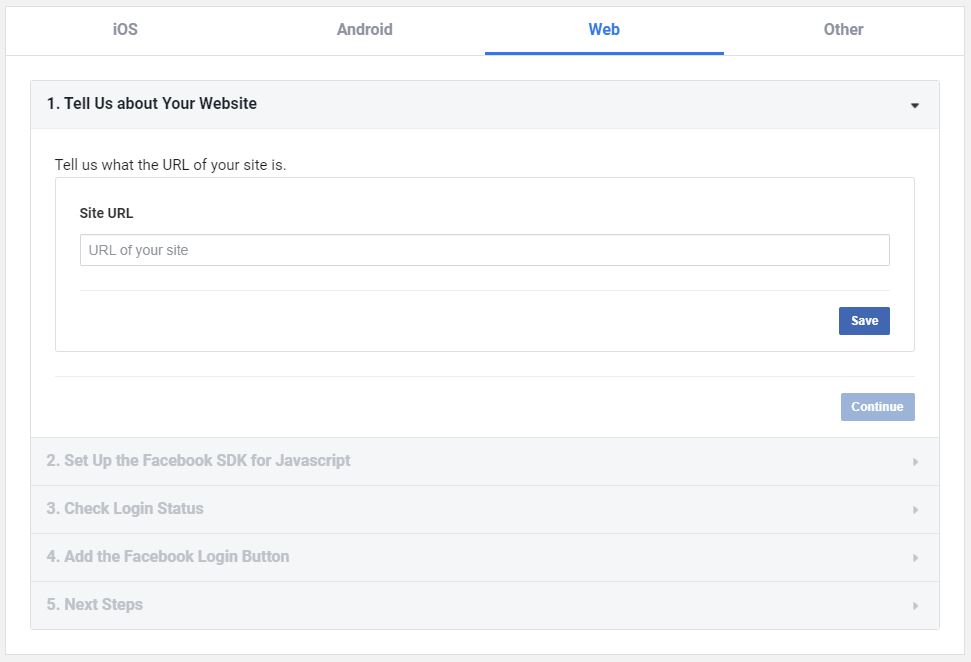
- Click Web
- Enter your server URL
8. Configure OAuth Redirect URL
Go to Facebook Login → Settings
Add your Admin Panel redirect URL in:
Valid OAuth Redirect URIs
Example:
https://admin.yourdomain.com/api/v1/user/social-login/callback/facebook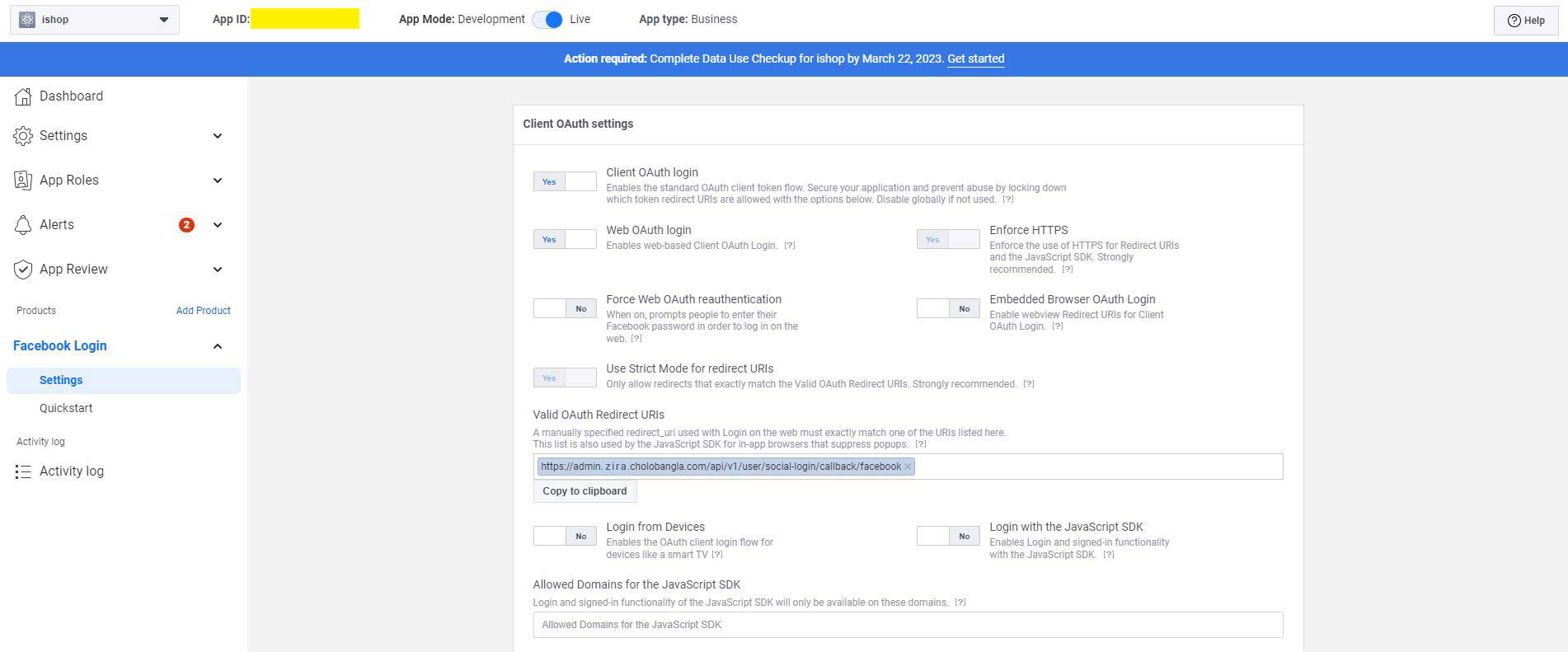
9. Copy App Credentials
Go to:
Settings → BasicCopy:
- App ID
- App Secret
You will need these for configuration.
Setting the Facebook Configuration
Now configure Facebook login inside your admin panel.
- Log in to your Admin Panel
- Go to:
Settings → Social LoginEnter:
- Facebook Client ID (App ID)
- Facebook Client Secret (App Secret)
Save the settings.
Your Facebook Login integration is now complete 🎉